
Members of an organisation see its projects. To show a report to anyone else, create a share link.
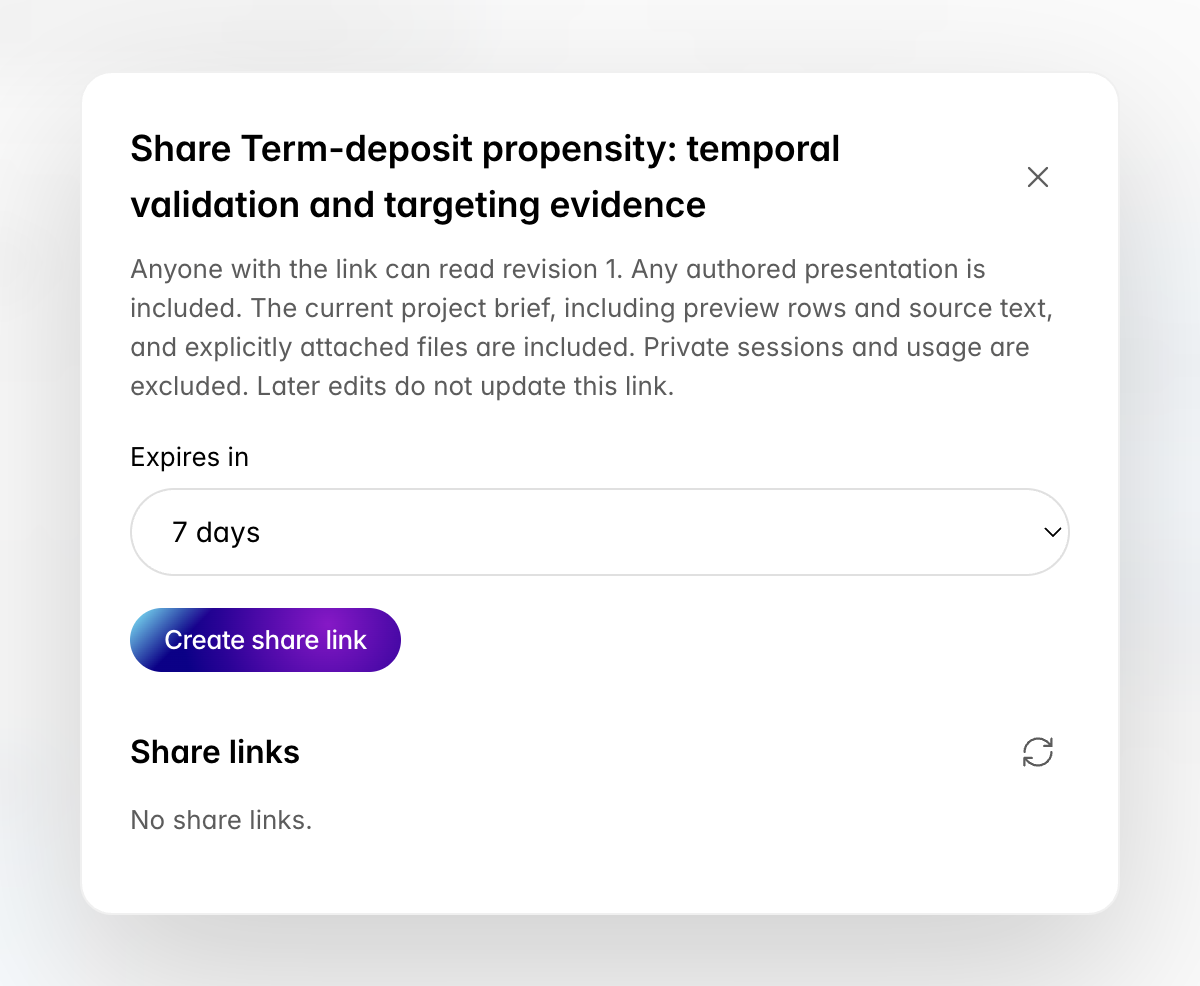
The Share dialog for the term-deposit report: what the link includes, an expiry of 7 days, the Create share link button and an empty list of share links
  1. Open the report and choose Share link, or Share report on Outputs.
  2. Pick how long the link lasts: 7, 30 or 90 days.
  3. Choose Create share link and copy the link. It is shown once.
A link opens one exact revision of the report, read only. It includes any authored presentation, the project brief as it was when you created the link, and the files attached to that revision. It never includes private sessions, Work or usage. Later edits do not change what the link shows; create a new link for a new revision. The dialog lists every link for the report with its expiry. Revoke ends a link at once. Everyone in the organisation except viewers can create and revoke links.

Sharing a session from the terminal

Run /share in a session. The agent:
  1. Asks which project the session belongs to, unless the session already reports to one.
  2. Shows the title, summary and messages it would publish, and waits for your approval. Tool output, secrets and private paths stay on your computer.
  3. Publishes the session to the project, asks how long the link should last, and gives you the link.
Nothing leaves your computer before you approve it. Anyone with the link can read that published session until the link expires; ask the agent to revoke it to end it sooner.