

The first start in a folder
The first time you start AIUS in a folder, it offers to keep the folder in AIUS Light: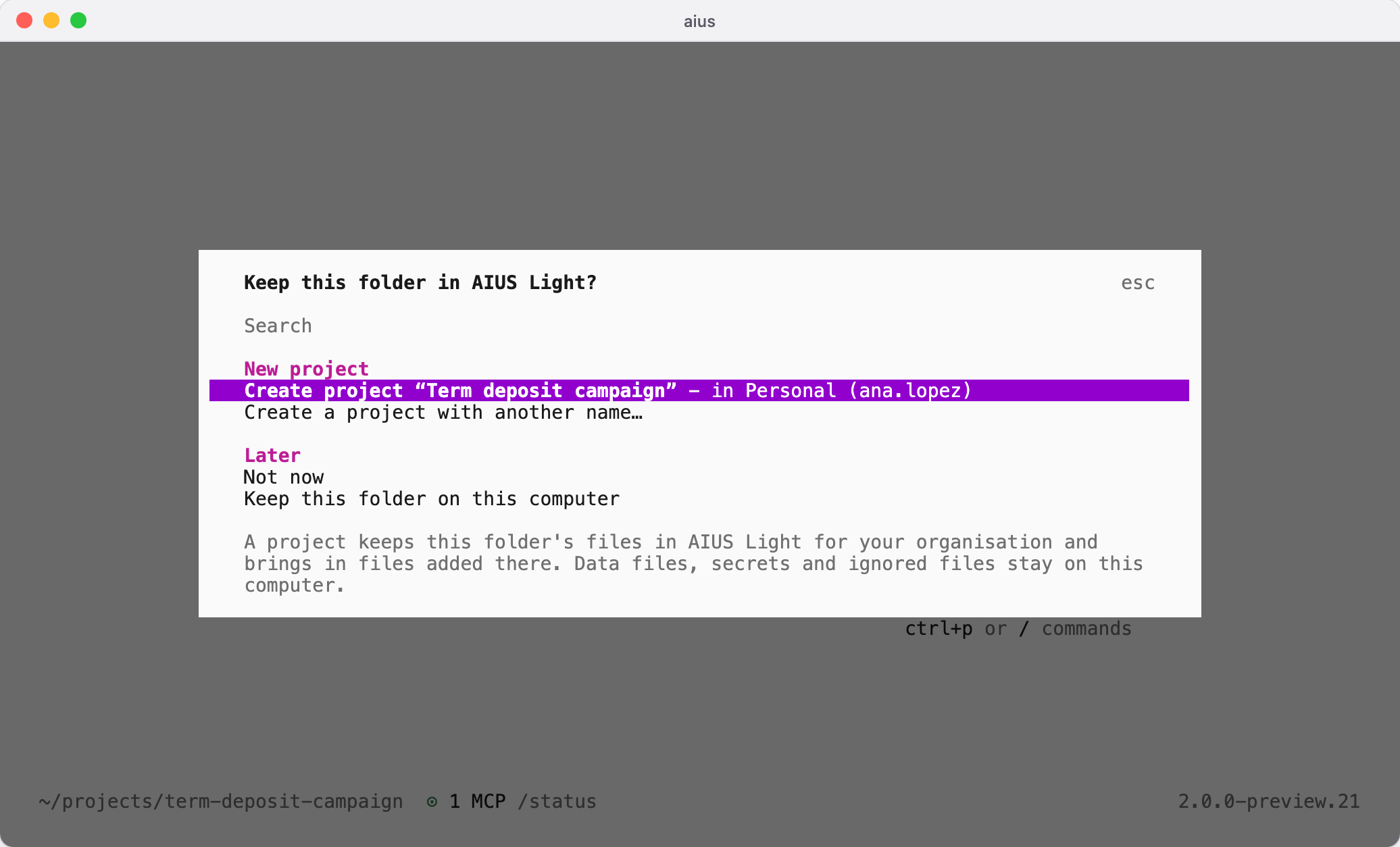
- Create project makes a project in your personal organisation, named after the folder, or after the project name AIUS already had for it on this computer.
- Create a project with another name lets you name it first.
- An existing project, listed under its organisation, links the folder to it.
- Not now asks again next time; Keep this folder on this computer does not ask again for this folder.
What syncs
The folder’s working files sync: code, notebooks, notes and documents. These stay on your computer:- data files such as
.csv,.parquet,.xlsxand databases, and folders nameddataset,datasets,raw_dataordata/raw - secrets:
.envfiles (except.env.example), keys and credentials - dependencies, environments and build output, such as
node_modulesand.venv - in a git repository, files that git ignores
- files over 64 MiB, and names AIUS Light cannot hold, such as names with brackets
When it syncs
Once linked, the folder syncs when AIUS starts in it and after each reply. Type/sync to sync at any time.
Sync never deletes anything. A file removed on one side stays removed and is
not copied back. When a file changed both in the folder and in AIUS Light since
the last sync, both copies stay as they are: /projects then offers Use this
folder’s copies or Use AIUS Light’s copies.
Projects made in AIUS Light
Type/projects to see the folder’s project and every project you can add files
to, including ones created in AIUS Light. Choosing a project links the folder to
it and brings in its files.
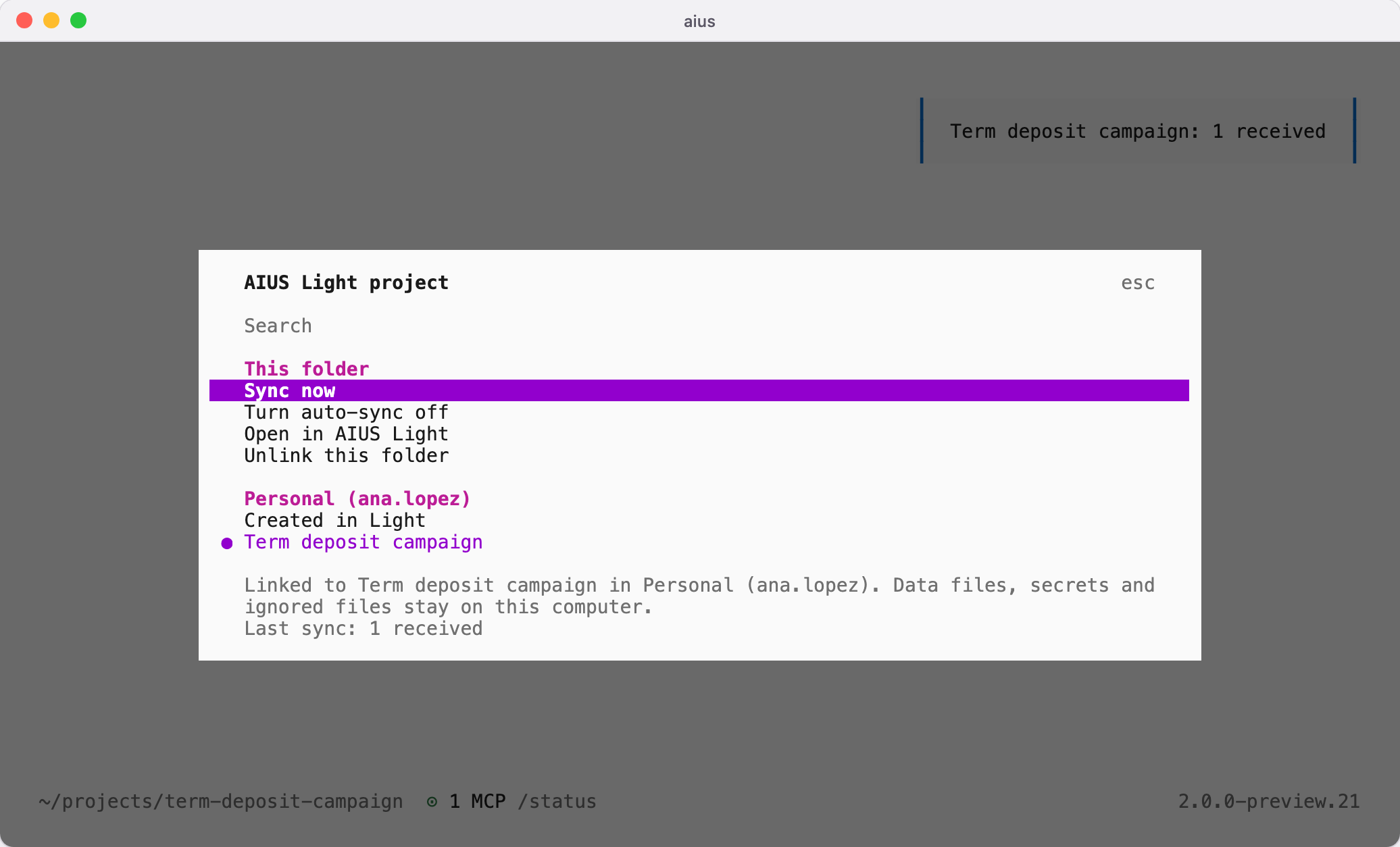
.aius/light.json, so it can travel with
the folder. .aius/light-sync.json records the last sync on this computer.
Sessions already on this computer
Sessions kept in~/.local/share/aius appear in /sessions for the folder they
were started in, the first time you start AIUS there. They are copied, and the
originals are never changed. A copy you delete stays deleted.
Sessions stay on your computer; syncing a folder never uploads them.