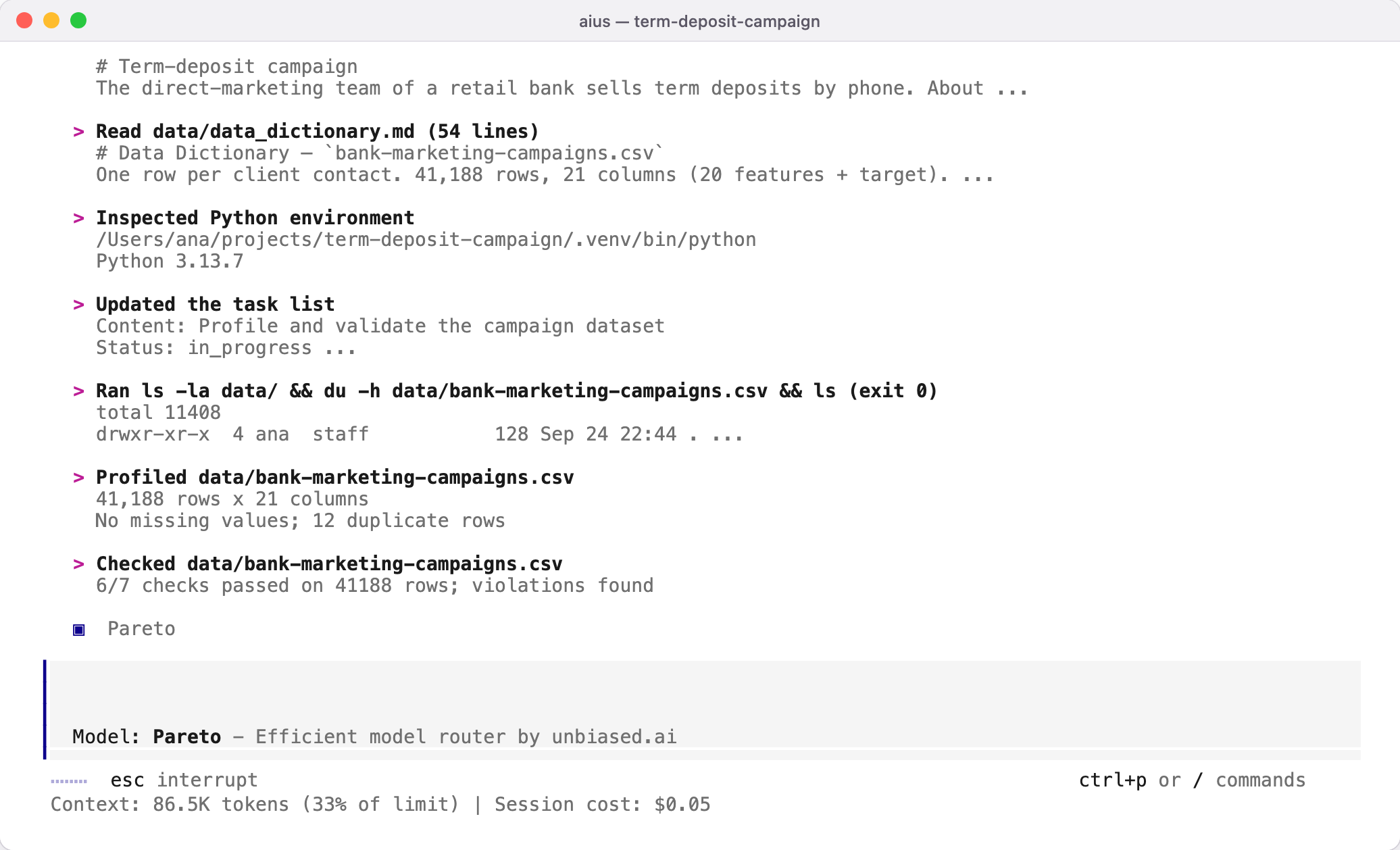
The agent works on files in your project folder, with your permissions, in the project’s own Python environment (Installation).
The terminal while the agent works: it read the README and data dictionary, inspected the Python environment and profiled the dataset, reporting 41,188 rows, no missing values and 12 duplicate rows

What it can do

ToolUse
Data profileRows, columns, types, missing values, duplicates, distributions and quality alerts for CSV, TSV, Parquet, JSON, JSONL and Excel files
Data querySQL over local CSV, Parquet, Excel and DuckDB files with DuckDB, returning bounded results
Data checkExplicit quality rules: allowed values, ranges, uniqueness, missingness
CompareDifferences between two datasets or two versions of one
Split auditLeakage between training and test data
DriftChanges in a variable’s distribution between periods
PythonScripts under output/, run with the project interpreter
NotebooksCreate, edit, run and read Jupyter notebooks, including outputs and figures
Training and validationFit models with cross-validation and record data hashes, package versions, fold membership, metrics and model hashes
For files too large to read whole, the agent works by schema, samples and aggregate queries instead of loading everything.

How it keeps work honest

  • Numbers come from code. Every figure in a report is produced by a script saved under output/, so it can be rerun.
  • Leakage is checked. The agent looks for fields that are only known after the outcome, and for overlap between training and test data.
  • Baselines come first. Models are compared with a simple baseline and validated in a way that suits the data, for example forward in time when the rows are ordered in time.
  • Uncertainty and limits are stated. A good split-audit result or cross-validation score is evidence, not proof that a model will work in production or that an effect is causal.
Worked example shows all of this on a real dataset.