
Ask for a report in your own words, and say where it should go:
Publish an evidence-first report of the result to a new project
"Term-deposit campaign" in my AIUS Examples organisation and give me the link.
The agent then:
  1. Reads the report guide from AIUS Light, so the report follows the current format.
  2. Picks the destination. It lists your organisations and projects, and creates the project if you asked for a new one.
  3. Proposes the evidence. It asks which files to attach, such as scripts, notebooks and result files, and keeps everything else on your computer.
  4. Reviews the draft. The platform checks the report’s structure, numbers and evidence links before anything is saved. The agent fixes what the review flags.
  5. Publishes and reads it back, then gives you the link.
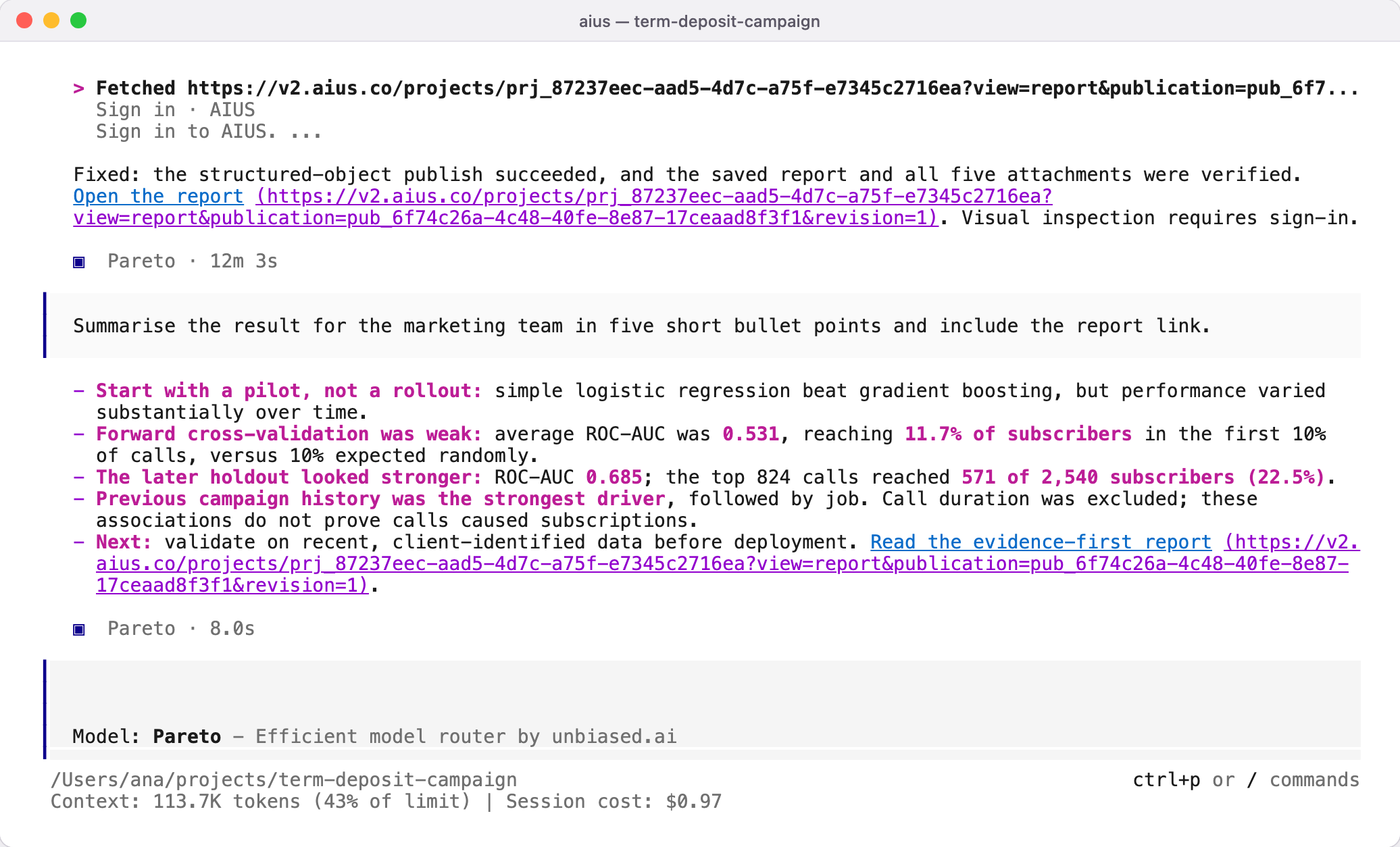
The agent's five-point summary for the marketing team with the link to the published report

Updating a report

Ask the agent to revise the report, for example after new data arrives. Publishing again with the same report creates a new revision; readers of the project see the latest, and every earlier revision and share link stays as it was.

What is shared, and with whom

A published report is visible to members of its organisation. The attached files go with it; your raw data, other files and the session itself stay local unless you approve them too. To show a report to someone outside the organisation, create a share link. If the platform is unreachable, the agent finishes the analysis and saves the report locally, and tells you what it could not publish.